Retros your team
will look forward to
Real-time retrospectives with icebreaker games, templates, voting, timers, and action tracking. Every sprint ends with clear next steps.
Microsoft Teams
Start a retro from any channel, chat, or meeting.
Open board →Board's ready →
heyretro.io/sprint-24
Start retros from the tools
your team already uses.
Kick off a retro without switching context — from a Microsoft Teams channel or straight from your AI client.
Sprint 24 is done — retro time! Join below 👇
Start retros directly
from Teams.
Add HeyRetro as a Microsoft Teams tab, start a retro from a channel or chat, and finish setup in the web app with the roster already in place.
Learn how Microsoft Teams retrospectives workLaunch in context
Start from a Teams channel, chat, or meeting.
Bring the roster
Import teammates before confirming the board.
Enterprise ready
Available for organizations on Enterprise.
Run your retros
from your AI client.
HeyRetro ships a Model Context Protocol server, so AI clients can list teams, inspect templates, and create boards, all with your account's permissions.
Works with any MCP client
Claude, Cursor, and other AI clients connect over the Model Context Protocol.
Scoped access tokens
Create MCP tokens that act with your account permissions, and revoke them anytime.
List, inspect, create
List teams, inspect templates, and spin up boards without leaving your editor.
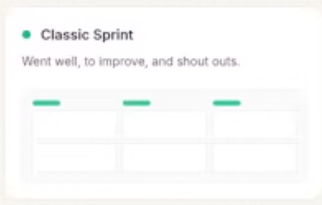
template Classic Sprint
Warm up the room
before the retro.
Draw & Guess
↗Sketch the secret word while your teammates race to guess it.
This or That
↗Pick between two quick-fire options and discover where the team splits.
Most Likely To...
↗Vote for the teammate who best fits the prompt, then reveal it together.
Every game is free to play, even without a HeyRetro account. Explore all icebreaker games
A template for every kind of retro.